really easy tetris
tetris with just the good pieces
Feb 27, 2026
There are pink starbursts and bad starbursts. And there are I-block tetris pieces and bad tetris pieces.
To fix this, I’ve made really easy tetris - tetris with just the I blocks.
it's really easy
I made this game to try out the Phaser game engine. But I thought it was kinda fun, so I figured I’d post it here.
Why Phaser?
Most of my games are weird and bespoke. But I like playing more traditional games, and I’d like to make more of them. One thing that holds me back is that I’m much slower at making normal games than weird nonsense.
I figured becoming more fluent with a modern game engine might help. But I have a lot of gripes with the bigger engines (Godot, Unity) that I’ve tried:
- They make me use the mouse, which I don’t like using
- I feel like I am configuring an engine, not programming a game
- There’s a lot of magic in an engine that I don’t understand
- Building UI in game engines feels bad vs using CSS and HTML
- No but really I hate using the mouse
Phaser is code-only (no mouse!) and uses javascript, which means that theoretically I could build my UI using regular HTML and then embed a Phaser game. That’s what I did here.
Wiring up Phaser to React
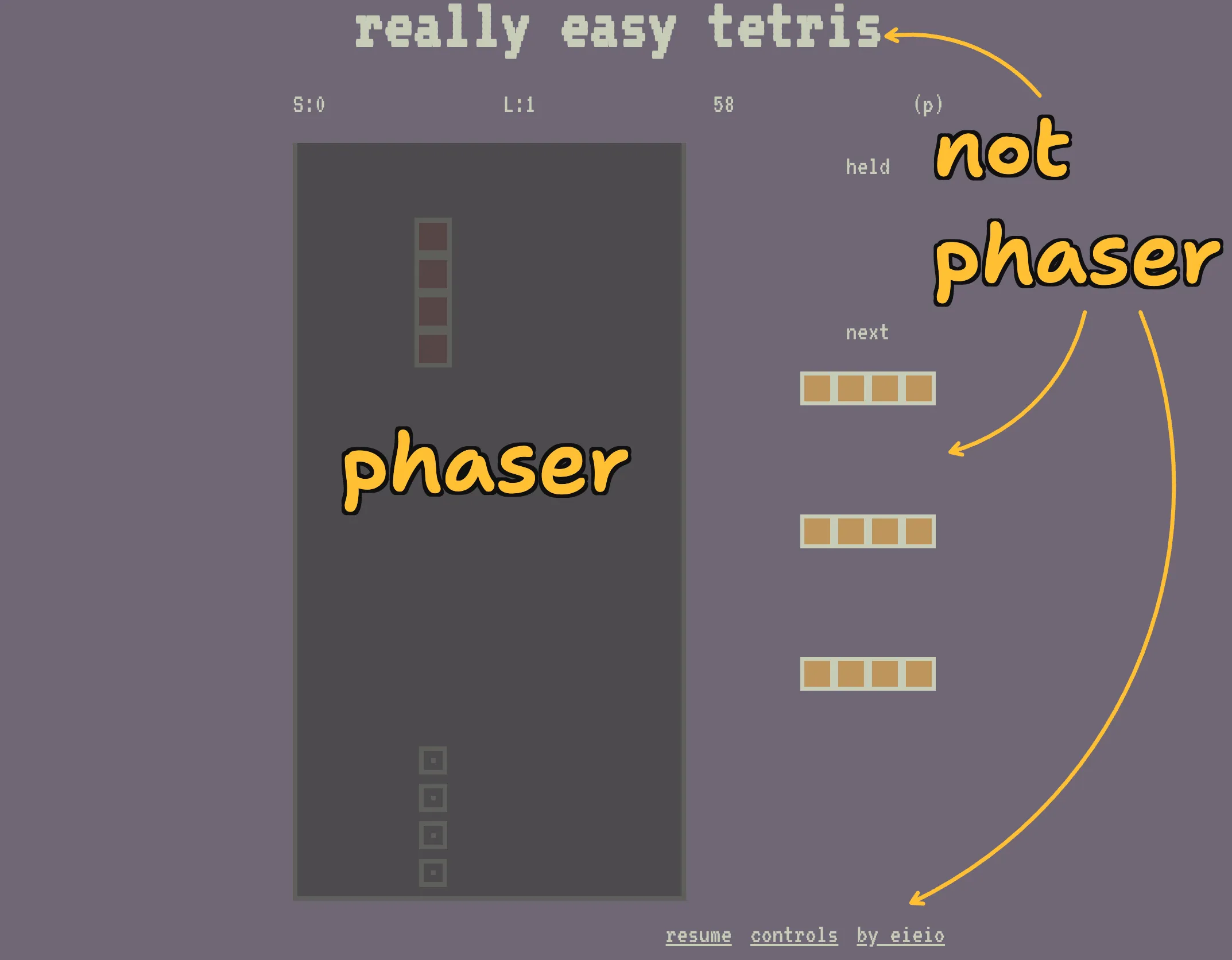
Everything but the actual tetris gameplay is rendered using React.
While React is overkill for a tetris UI, it is probably what I’d use to build a more complex UI for a “real” game. So I used it here to understand what bridging Phaser and React felt like.
It turns out to be pretty easy!
I have a tiny little zustand state store. This tracks any state that needs to exist in both React and Phaser.
When you press “p” to pause the game, Phaser updates the zustand store. My react app has a subscription to that store and automatically updates its paused state variable, pausing a (p) to appear in the right spot on screen.
This is neat! I’m not gonna claim that my UI for this game is particularly pretty - it’s not - but this was enough to convince me that Phaser would let me make games while using a familiar and (to me) pleasant paradigm for UI.
Did I actually like Phaser?
Eh.
While Phaser has substantially less magic than Godot or Unity, it’s still got a lot of stuff going on. And I quickly ran into some quirks.
    // it's totally insane, but containers just don't respect depth changes
    // this drives me nuts?? but whatever, this ensures that our disappearing
    // rects are above the existing frozen rects
    this.sort("depth");
In exchange for these quirks, you get a bunch of utility. It’s great that you can add physics to your game basically for free, and common game operations like tweening values is super easy.
But man, the quirks kinda drove me mad.
I spent a few days with my friend Max Forbes working on a more complicated incremental game using Phaser. We were both impressed at how easily we could import a sprite sheet and build out a world. But we also spent hours debugging issues that simplified to “we were calling a poorly-documented API wrong” - and that was extremely frustrating.
So I think Phaser probably isn’t right for me. Maybe I’ll look at something lower-level like PixiJS next time I want to make a “normal” game.
Wrapping up
I feel kinda silly publishing this. It’s a half-finished project in a framework that I’m probably abandoning.
But also the game is kinda fun, and I’ve had a few conversations with folks about integrating React with a game engine, so I figured it might be of us to someone.
You can look at the code here if you want. It’s not great!
More (real, finished) games soon.